
The Power of Task Management Tools in Boosting Productivity
Effective task management is crucial for staying organised and productive, especially in today’s fast-paced world. With the rise of remote work and digital collaboration, the need for efficient task management tools has become more apparent than ever.
Task management tools are software applications designed to help individuals and teams organise, track, and prioritise their tasks effectively. These tools offer a range of features that streamline workflow processes and enhance productivity.
Key Benefits of Task Management Tools:
- Improved Efficiency: By providing a centralised platform for task management, these tools eliminate the need for scattered to-do lists and sticky notes, allowing users to focus on their work without getting overwhelmed.
- Collaboration: Many task management tools offer collaboration features that enable team members to assign tasks, set deadlines, and communicate seamlessly, fostering better teamwork and project coordination.
- Priority Setting: Users can categorise tasks based on urgency and importance, helping them allocate their time and resources more effectively to meet deadlines and achieve goals.
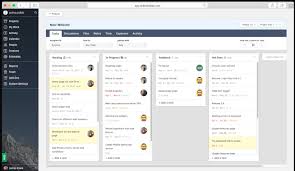
- Progress Tracking: Task management tools often provide visual representations of progress through timelines, calendars, or kanban boards, giving users a clear overview of their workload and accomplishments.
- Integration: These tools can be integrated with other software applications such as calendars, email clients, or project management platforms, ensuring seamless connectivity across different tools used in daily workflows.
Popular Task Management Tools:
There is a wide array of task management tools available in the market catering to various needs and preferences. Some popular options include:
- Trello: Known for its user-friendly interface and kanban-style boards, Trello is a versatile tool suitable for both personal task management and team collaboration.
- Asana: Asana offers robust project planning features along with task tracking capabilities that help teams stay organised and on track with their goals.
- Jira: Primarily used by software development teams, Jira provides advanced project management functionalities combined with agile task tracking for complex projects.
In conclusion, incorporating task management tools into your daily routine can significantly enhance your productivity levels by keeping you organised, focused, and efficient. Whether you’re managing personal tasks or coordinating team projects, these tools serve as valuable assets in optimising workflow processes and achieving desired outcomes.
Mastering Task Management: 9 Essential Tips for Choosing and Using the Right Tools
- Choose a task management tool that suits your needs and preferences.
- Prioritize tasks based on importance and deadlines to stay organised.
- Break down large tasks into smaller, manageable sub-tasks for better efficiency.
- Set reminders and notifications to keep track of deadlines and important dates.
- Collaborate with team members by sharing tasks, comments, and updates within the tool.
- Use labels, tags or categories to easily categorize and filter tasks as needed.
- Regularly review and update your task list to ensure it remains relevant and up-to-date.
- Utilise features like kanban boards, Gantt charts or calendars for visual task management.
- Take advantage of integrations with other tools such as calendars or email for seamless workflow.
Choose a task management tool that suits your needs and preferences.
When selecting a task management tool, it is essential to choose one that aligns with your specific requirements and personal preferences. By opting for a tool that suits your needs, whether it be simplicity, collaboration features, or integration capabilities, you can maximise its effectiveness in helping you stay organised and productive. Finding a task management tool that resonates with your workflow style ensures a seamless adoption process and enhances your overall task management experience.
Prioritize tasks based on importance and deadlines to stay organised.
To maintain a structured workflow and maximise productivity, it is essential to prioritise tasks according to their significance and deadlines. By assigning priority levels based on importance and time sensitivity, individuals can effectively manage their workload and ensure that critical tasks are addressed promptly. This approach not only helps in staying organised but also enables individuals to focus their efforts on completing high-priority tasks efficiently, leading to better time management and overall task accomplishment.
Break down large tasks into smaller, manageable sub-tasks for better efficiency.
Breaking down large tasks into smaller, manageable sub-tasks is a valuable tip when utilising task management tools. By dividing complex tasks into more achievable components, individuals can enhance their efficiency and productivity. This approach allows for better focus, clearer progress tracking, and a sense of accomplishment as each sub-task is completed. Moreover, breaking down tasks helps in prioritising work effectively and ensures that no important details or deadlines are overlooked. Overall, this strategy contributes to a more organised and structured workflow, leading to improved task management outcomes.
Set reminders and notifications to keep track of deadlines and important dates.
Setting reminders and notifications within task management tools is a valuable strategy to stay on top of deadlines and important dates. By utilising these features, users can ensure that crucial tasks are not forgotten or overlooked, allowing for timely completion and effective time management. Reminders serve as gentle prompts to focus on upcoming deadlines, while notifications provide real-time updates to keep users informed and proactive in their task prioritisation. This proactive approach enhances productivity and helps individuals and teams meet their goals efficiently.
Collaborate with team members by sharing tasks, comments, and updates within the tool.
To maximise the efficiency and effectiveness of task management tools, it is essential to foster collaboration among team members by utilising features that allow for seamless sharing of tasks, exchanging comments, and providing real-time updates within the tool. By leveraging these collaborative functionalities, teams can enhance communication, streamline workflow processes, and ensure everyone is aligned on project progress and priorities. This promotes a sense of teamwork and accountability, ultimately leading to improved productivity and successful project outcomes.
Use labels, tags or categories to easily categorize and filter tasks as needed.
Utilising labels, tags, or categories within task management tools is a valuable strategy to efficiently categorise and filter tasks based on specific criteria. By assigning relevant labels or tags to tasks, users can easily organise and prioritise their workload, making it simpler to focus on high-priority items or tasks belonging to a particular project or category. This feature not only streamlines task management but also enhances productivity by providing a clear visual representation of tasks that require attention, ultimately improving workflow efficiency and time management.
Regularly review and update your task list to ensure it remains relevant and up-to-date.
Regularly reviewing and updating your task list is a crucial tip in effective task management. By routinely assessing and adjusting your list, you can ensure that your priorities are aligned with current goals and deadlines. This practice helps prevent tasks from slipping through the cracks and allows you to adapt to changing circumstances swiftly. Keeping your task list relevant and up-to-date not only improves productivity but also promotes better time management and goal achievement.
Utilise features like kanban boards, Gantt charts or calendars for visual task management.
To enhance your task management efficiency, make full use of visual tools such as kanban boards, Gantt charts, or calendars. These features provide a clear and structured way to organise tasks, set priorities, and track progress visually. Kanban boards help you visualise workflow stages and move tasks through them seamlessly, while Gantt charts offer a timeline view for project planning and scheduling. Calendars can be used to schedule deadlines and meetings effectively. By utilising these visual task management tools, you can improve your productivity by gaining a better understanding of your tasks and deadlines at a glance.
Take advantage of integrations with other tools such as calendars or email for seamless workflow.
To maximise the efficiency of task management tools, it is advisable to leverage their integrations with complementary tools like calendars and email. By syncing these applications seamlessly, users can streamline their workflow processes, ensuring tasks are organised and deadlines are met effectively. Integrations with calendars enable easy scheduling and visibility of upcoming tasks, while integration with email facilitates quick communication and task assignment within the same platform. This interconnected approach enhances productivity by centralising task-related information and promoting collaboration across different tools for a more cohesive work environment.