
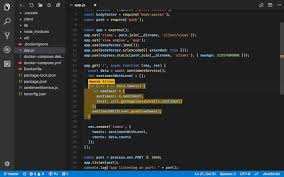
The Power of Code Collaboration Tools in Modern Development
In today’s fast-paced world of software development, collaboration is key to success. Code collaboration tools have revolutionised the way teams work together to build and maintain complex applications. These tools provide a platform for developers to seamlessly collaborate, share code, track changes, and resolve issues efficiently.
Benefits of Code Collaboration Tools
One of the primary benefits of using code collaboration tools is improved teamwork. Developers can work simultaneously on the same codebase without conflicts, thanks to features such as version control and branching. This not only enhances productivity but also fosters a sense of unity among team members.
Code collaboration tools also streamline the code review process. Team members can easily review each other’s code, provide feedback, and suggest improvements within the tool itself. This leads to higher code quality and better overall project outcomes.
Popular Code Collaboration Tools
- Git: Git is a distributed version control system that allows teams to manage their codebase efficiently. Platforms like GitHub and GitLab provide additional features for collaboration such as pull requests and issue tracking.
- Bitbucket: Bitbucket is another popular tool that offers Git repository hosting along with features for code collaboration, continuous integration, and deployment.
- Microsoft Visual Studio Code Live Share: This tool enables real-time collaborative editing and debugging within Visual Studio Code, making it easier for developers to work together remotely.
- Jira: While primarily known for project management, Jira also includes features for code collaboration such as agile boards, release planning, and integration with version control systems.
Conclusion
Code collaboration tools have become indispensable in modern software development workflows. By facilitating seamless communication, efficient code sharing, and streamlined processes, these tools empower teams to deliver high-quality products in a timely manner. Embracing code collaboration tools is not just a trend but a necessity for staying competitive in today’s digital landscape.
8 Essential Tips for Effective Code Collaboration and Teamwork
- Choose a tool that integrates well with your existing workflow.
- Ensure all team members are familiar with the chosen collaboration platform.
- Use version control systems like Git to manage code changes effectively.
- Regularly update documentation to keep everyone informed of new processes.
- Establish clear guidelines for code reviews and merge requests.
- Leverage branching strategies to organise work and prevent conflicts.
- Utilise issue tracking features to monitor progress and resolve bugs efficiently.
- Encourage open communication through integrated chat or discussion tools.
Choose a tool that integrates well with your existing workflow.
When selecting a code collaboration tool, it is crucial to choose one that seamlessly integrates with your current workflow. By opting for a tool that aligns with your team’s processes and technologies, you can ensure a smoother transition and maximise efficiency. Integration compatibility allows for a more cohesive collaboration experience, enabling team members to work together seamlessly without disruptions or the need for extensive adjustments. By prioritising integration capabilities, you can enhance productivity and streamline your development efforts effectively.
Ensure all team members are familiar with the chosen collaboration platform.
Ensuring that all team members are familiar with the chosen collaboration platform is crucial for effective code collaboration. By providing training and guidance on how to use the tools effectively, teams can maximise their productivity and minimise errors. A shared understanding of the platform’s features and best practices promotes consistency in workflows, improves communication, and enhances overall collaboration within the team. Investing time in familiarising team members with the collaboration platform ultimately leads to smoother development processes and successful project outcomes.
Use version control systems like Git to manage code changes effectively.
Utilising version control systems like Git is essential for managing code changes effectively in collaborative software development projects. By leveraging Git’s capabilities, teams can track modifications, maintain a history of changes, and resolve conflicts efficiently. This not only ensures that developers can work on different aspects of the codebase simultaneously but also provides a structured approach to reviewing and integrating code contributions. With Git, teams can collaborate seamlessly, maintain code integrity, and enhance overall project productivity.
Regularly update documentation to keep everyone informed of new processes.
Regularly updating documentation is a crucial tip when utilising code collaboration tools. By keeping documentation current, team members can stay informed about new processes, changes in workflows, and updates to the codebase. Clear and up-to-date documentation not only ensures that everyone is on the same page but also promotes transparency and efficiency within the team. It serves as a valuable reference point for developers, enabling them to understand the project better and contribute effectively to collaborative efforts.
Establish clear guidelines for code reviews and merge requests.
Establishing clear guidelines for code reviews and merge requests is essential for efficient collaboration using code collaboration tools. By defining specific criteria for what constitutes a well-structured and error-free code, teams can ensure consistency in code quality across projects. Clear guidelines help streamline the review process, making it easier for team members to provide constructive feedback and suggestions for improvement. Additionally, having defined protocols for merge requests ensures that only thoroughly reviewed and approved code changes are integrated into the main codebase, reducing the risk of introducing bugs or conflicts. Overall, clear guidelines for code reviews and merge requests promote effective communication and enhance the overall development workflow.
Leverage branching strategies to organise work and prevent conflicts.
Leveraging branching strategies is a crucial tip when using code collaboration tools to enhance teamwork and prevent conflicts in software development projects. By creating separate branches for different features or tasks, developers can work on their code independently without interfering with each other’s work. This organisational approach not only promotes better code management but also minimises the risk of conflicts arising from simultaneous code changes. Branching strategies help teams maintain a clear structure within the codebase, streamline collaboration efforts, and ultimately contribute to a more efficient and harmonious development process.
Utilise issue tracking features to monitor progress and resolve bugs efficiently.
By utilising issue tracking features in code collaboration tools, teams can effectively monitor the progress of their projects and efficiently resolve bugs. Tracking issues allows developers to identify and prioritise tasks, assign responsibilities, and track the status of bug fixes. This proactive approach not only improves project management but also ensures that issues are addressed in a timely manner, leading to smoother development processes and higher-quality software outcomes.
Encourage open communication through integrated chat or discussion tools.
To enhance collaboration among team members using code collaboration tools, it is essential to encourage open communication through integrated chat or discussion tools. By incorporating features that enable real-time messaging and discussion within the coding environment, developers can easily share ideas, resolve issues, and provide feedback without the need to switch between multiple platforms. This fosters a collaborative atmosphere where team members can communicate effectively, brainstorm solutions together, and stay updated on project progress, ultimately leading to more efficient and cohesive development workflows.